
Your software marks the job done. Zurvia asks for the review.
Zurvia connects to the tools you already run, from QuickBooks Online to the route app your techs use and the shop system at your front counter. When a job closes, your customer gets a text from your own local number with a link to your Google review page. You see who clicked, who reviewed and what they said.
7-day free trial, then $59 a month per location. 3¢ a text, emails free. No contract.

Anyone who finishes jobs for local customers.
Reviews come from the same place for every trade: a job that just ended, and a customer who's still thinking about it. Zurvia asks at that moment, whatever the work was.
- Lawn care
- Cleaning
- HVAC
- Plumbing
- Electrical
- Pest control
- Pool service
- Auto repair
- Roofing
- Painting
- Handyman
- Movers
- Garage doors
- Pressure washing
- Appliance repair
- Landscaping
- Tree service
- Carpet cleaning
- Locksmiths
- Window cleaning
- Junk removal
- Irrigation
- Chimney sweeps
- Detailing
Not on the list? If you invoice in QuickBooks Online, a paid invoice is all Zurvia needs. Anything else can send a webhook, use the API, or you upload a spreadsheet.
Three things happen. You do the first one, once.
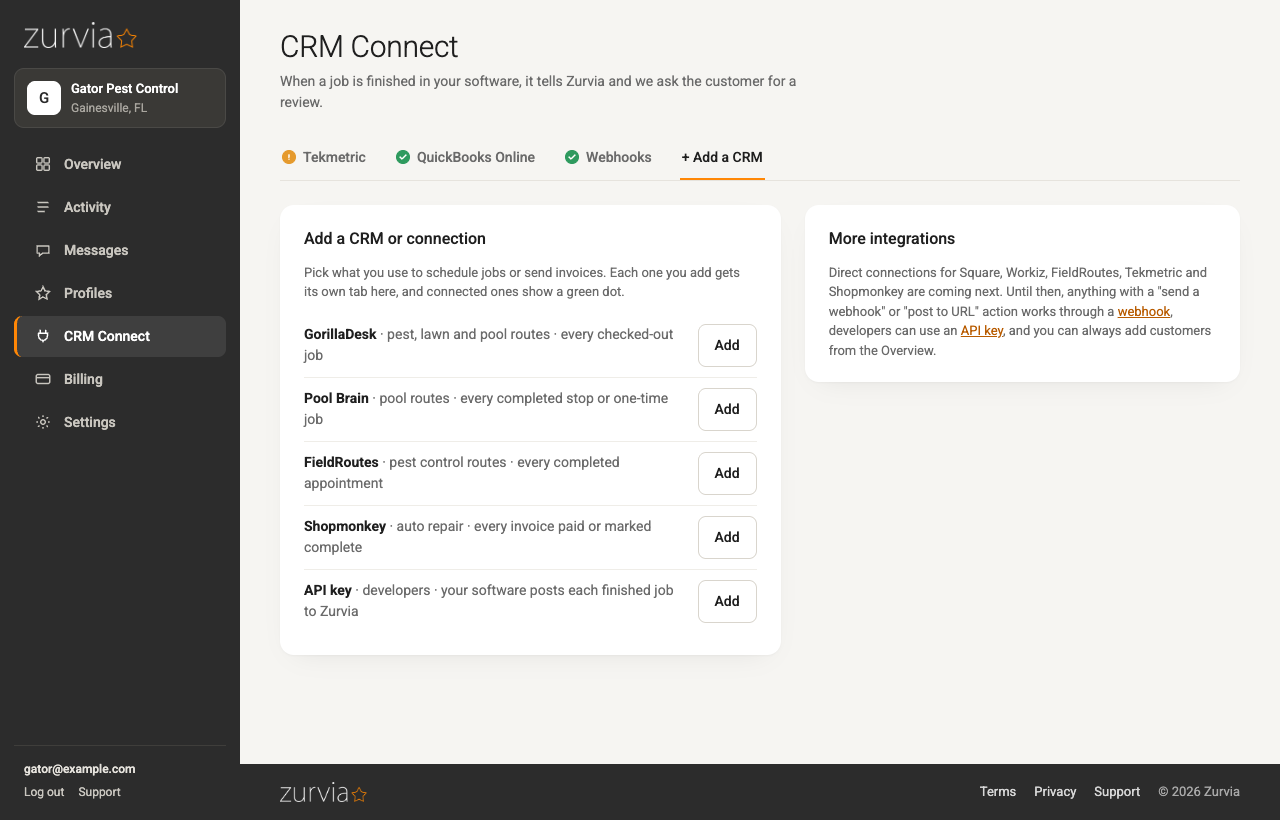
Connect the software you already use.
GorillaDesk, Pool Brain, FieldRoutes, Shopmonkey, Tekmetric or QuickBooks Online: pick yours, sign in or paste a key, and you're connected. Anything else can send Zurvia a webhook, call the API, or you upload a spreadsheet of finished jobs.
- Zurvia only reads. It never changes a record in your software or your books.
- Only jobs finished after you connect count, so nobody gets a request for last month's work.
The job closes. The ask goes out.
An hour after a job is marked complete, or an invoice paid (you pick the delay, from right away to the next day), the customer gets a short text from your own local number with a link straight to your Google review page. No mobile number on file? They get an email instead.
- Sent in your business hours, never at night.
- One reminder if they haven't clicked, by email when there is one. Never more than two messages per job.
- Repeat customers aren't asked again until your "don't ask again" window passes.
Watch the reviews land, with names attached.
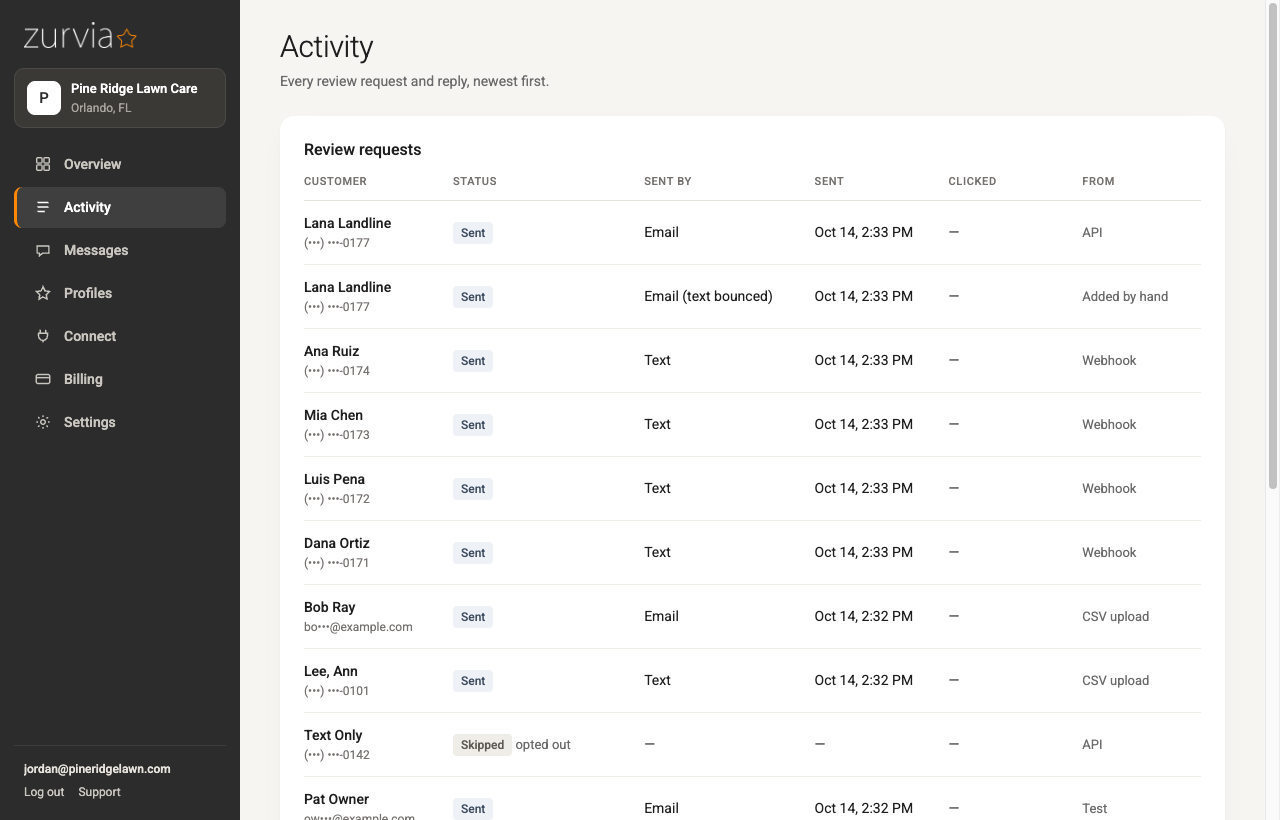
Every click and every new Google review is matched back to the customer who got the request, so you know who left what. Replies come straight to your inbox. After a Google review, Zurvia can follow up once for Facebook or another profile you care about.
- Asked, clicked, reviewed: per customer, per location.
- New reviews and replies reach you by email as they happen.
The parts that are easy to get wrong.
Most review tools send from a shared number, hide unhappy customers behind a survey, and leave you guessing who actually reviewed. Zurvia does the slower, correct thing on each.
Your own number, registered with the carriers.
Texts come from a local number that belongs to your business, registered for business texting (10DLC) by us. Carriers filter unregistered senders; yours won't be. Registration and the number are included in the price.
Everyone gets asked.
No "how did we do?" screen that quietly steers unhappy customers away from Google. That's review gating, Google forbids it, and Zurvia doesn't do it. Every customer gets the same link.
Reads your software, never writes to it.
Jobs, visits and invoices are read to know who to ask and when. Nothing in your CRM or your books is created, changed or deleted.
Quiet hours and a cap on nagging.
Requests go out in the hours you set. One reminder at most, only if they haven't clicked. Repeat customers wait out your "don't ask again" window before they hear from you again.
Replies reach a person.
When a customer texts or emails back, it's forwarded to the inbox you choose with their contact details as the reply-to. Nothing sits unread in a tool nobody opens.
You know who reviewed.
New Google reviews are matched to the customer who got the request, by name and timing. The dashboard shows asked, clicked and reviewed for each one, so you can thank the right people and spot the techs who earn them.
One price. It's on the website.
Per location
plus 3¢ per text. Emails are free.
- 7-day free trial. Add a card to start; it's first charged when the trial ends, and texts during the trial are free
- Your local texting number and carrier registration (10DLC) included
- Every integration, webhooks, the API and spreadsheet uploads included
- Unlimited users and unlimited requests
- Reminders, quiet hours, second-profile follow-ups and review tracking included
- No contract. Cancel from your Billing page and it ends that day
- Add a location any time; the extra $59 is prorated
What it comes to
$59.00 base + about 132 texts at 3¢ = $3.96
Assumes one text per job plus a second text for the few customers without an email. Reminders go by email when we have one, and emails cost nothing.
The things people ask before they sign up.
Will it work with my software?
GorillaDesk, Pool Brain, FieldRoutes, Shopmonkey, Tekmetric and QuickBooks Online connect directly. Anything that can send a webhook when a job closes works too, as does our API. No software at all? Upload a spreadsheet of finished jobs whenever you like. See every option.
Do I need my own texting account or number?
No. Zurvia gets you a local number in your area code and registers your business for texting with the carriers. You fill in one form (legal business name, EIN, address, a contact). Approval usually takes 3 to 10 business days. Emails go out right away in the meantime.
What does the message say?
Your business name, a thank-you and the link. One text, no fluff. The email version carries your logo and button color. If you add a second profile (Facebook, Yelp, BBB, Nextdoor, Angi or Thumbtack), that follow-up's wording is yours to edit.
Is this review gating?
No. Every customer gets the same link to your public Google review page. There's no survey step and no filtering by rating. That's the version Google allows, and the one that holds up.
What happens when a customer replies?
Their text or email is forwarded to the inbox you choose, with their phone or email as the reply-to, so whoever runs your office can answer from a normal mail client. STOP replies are honored automatically.
Will my weekly customers get a text every week?
No. Each location has a "don't ask again" window; a customer who was asked waits it out before another request, however many jobs you do for them in between. The default is 90 days; set it anywhere from 30 days to a year. Anyone who has already left a Google review is never asked again.
Can my whole team use it?
Yes. Invite as many people as you like, as owners or admins. There's no per-seat charge, and everyone logs in with an emailed link, no passwords to manage.
How do I cancel?
From your Billing page, any time, and it ends that day. Delete your business from Settings and we keep the data for 30 days in case you change your mind, then it's gone.
Set-up takes about ten minutes. The first request goes out on your next finished job.
7 days free, then $59 a month per location, 3¢ a text. No contract.